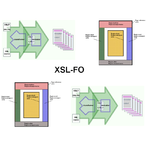
Opleiding: XSL-FO
This is a highly practical course for developers who need to use XSL Formatting Objects to produce sophisticated screen or print output from XML source data.XSL-FO Intro
The role of XSLT to produce XSL-FO documents and the role of XSL-FO processors to produce other output like Pdf is explained.
Page Masters
Attention is paid to the layout master set and the different page master that can be chosen.
Page Flow en Static Content
Also the difference between static content and page flow content is discussed.
XSL-FO Elements en Attributes
The use of many elements and and attributes of the XSL-FO language is treated in detail. Both open source tools and XML Spy are used for the delivery of this course.
Audience XSL-FO Course
The course XSL-FO is intended for designers who want to learn about the formatting of XML and layout of documents with XSL-FO.
Prerequisites Course XSL-FO
To participate in this course basic knowledge of XML and HTML syntax is required. Experience with programming is beneficial for a good understanding.
Realization Training XSL-FO
The subjects are discussed on the basis of presentation slides. Demos are used to clarify the treated concepts. The theory is regularly interspersed with exercises. The course material is in English. The course times are from 9.30 up and to 16.30.
Certification XSL-FO
Participants receive an official XSL-FO certificate after successful completion of the course.
Modules
Module 1 : XSL-FO Intro
- An XSL-Overview
- XPath, XSLT and XSL-FO
- The XSL-FO Processor
- Output Formats
- PDF, Postscript, RTF
- Short Form and Inheritance
- Structure of XSL-FO Document
- Flow Objects
- Layout Objects
- Auxiliary Objects
- Flows and Flow Mapping
- Formatting Object Content
Module 2 : Blocks and Inlines
- Blocks and Inlines
- Formatting Blocks
- Box Model
- Border
- Space, Indent and Padding
- Background
- Formatting Text
- Inline Elements
- Inheritance wrapper
- Creating Lists
- list-block
- item, label and body
Module 3 : Page Layout
- About Pagination
- Simple Pagination
- Complex Pagination
- Working with Page Sequences
- Working with Areas
- Area Types
- Area Components
- Area Positioning
- Block and Inline Elements
- Tables and Lists
- Working with Graphics and Color
- Character Properties and Fonts
Module 4 : Page Flow
- Page Sequence Masters
- Page Masters
- Viewport Area
- Cross Document Links
- Creating and Index
- Creating Table of Contents
- Working with Headers
- Page Layout and Flow
- Region Mapping
- Stylesheet Considerations
Module 5 : Additional Content
- Links and Graphics
- External Links
- Internal Links
- Leaders, Markers and Page Numbers
- The Output
- Leaders
- Columns, Keeps, and Breaks
- Columns
- Keeps
- Breaks